

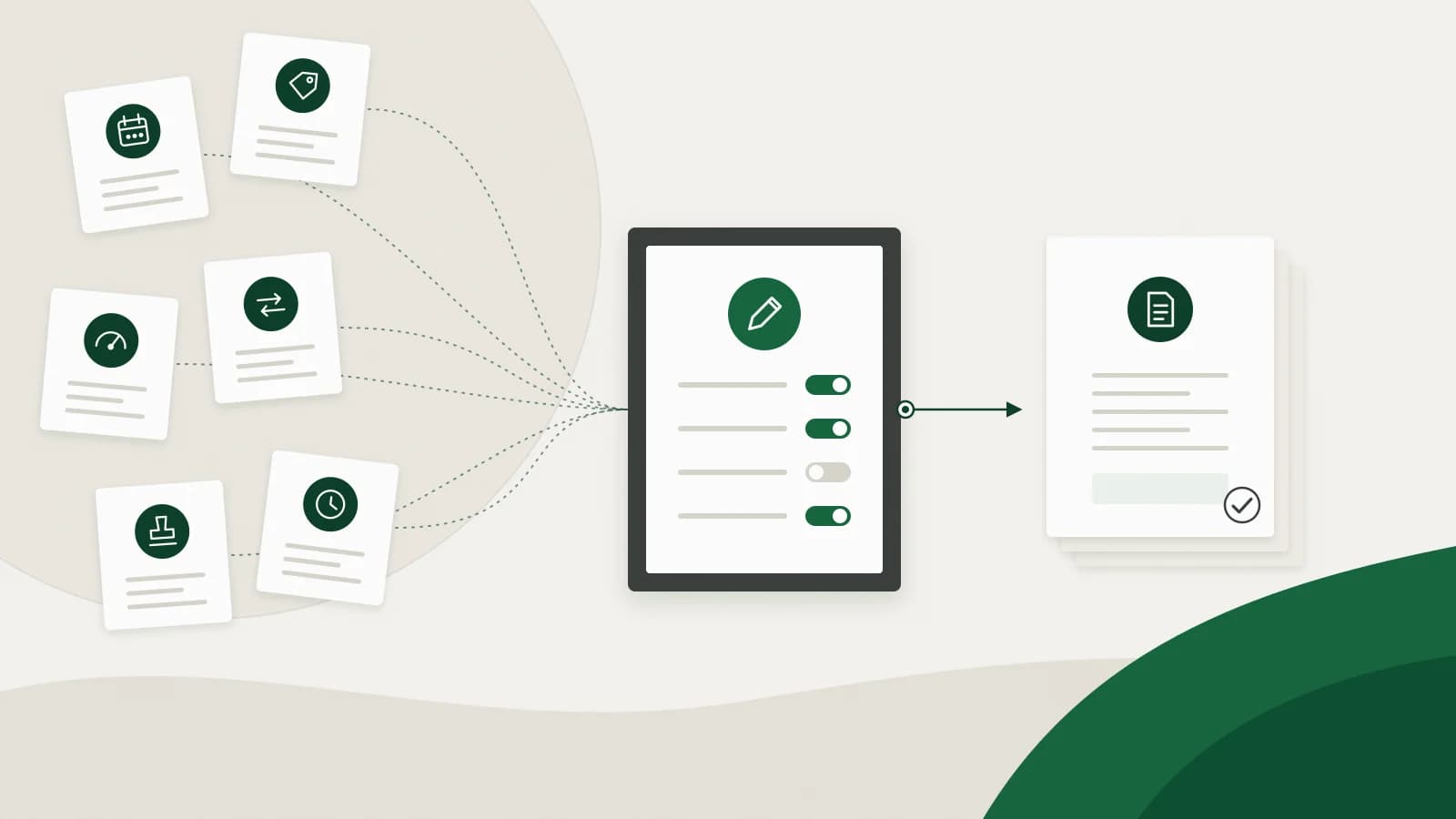
As a business grows, billing rarely stays simple. A customer adds a service halfway through the month. Another moves to a different plan. A third has negotiated rates, and a fourth is billed on how much they used. Finance checks contracts, tracks changes, verifies charges and reconciles payments, and hopes nothing slips through.
At some point spreadsheets and basic invoicing tools stop keeping up. That does not mean the whole company needs a new core system. If sales, operations and accounting already work, the problem is usually narrower: billing has become too variable to run by hand. Complex billing solutions add a billing layer that applies your rules to usage, pricing changes, exceptions, approvals, invoicing and collections, while the systems you already use stay in place.
What makes billing complex?
Complex billing is not about the number of customers or the size of the transactions. It is about variation. If every customer pays the same amount on the same date on the same terms, billing is straightforward. Now picture 200 customers where:
- some pay monthly and others quarterly;
- some contracts include charges based on quantities used;
- customers upgrade or downgrade in the middle of a billing period;
- add-ons start and stop on different dates;
- discounts apply only for set periods;
- some services are billed at project milestones;
- some customers have negotiated payment terms;
- invoices need one or more approvals before they go out;
- credits and adjustments carry forward to the next invoice;
- one payment has to be matched against several invoices.
Each rule is easy on its own. Together they turn every invoice into a small investigation. That is the point at which billing solutions for complex pricing structures earn their place.
Five signs manual billing has reached its limit
- Missed charges. Work is delivered, usage is recorded or an add-on is switched on, but the charge does not always reach the invoice.
- Mid-cycle changes. Customers change plans, add users, pause services or amend contracts before the billing period ends, and someone recalculates by hand.
- Too many exceptions. Standard pricing covers most customers, but a growing share have special rates, credits, billing dates or terms.
- Usage-based pricing. The invoice depends on how many seats, transactions, units or hours the customer used.
- Slow reconciliation. Finance compares contracts, spreadsheets, usage records, invoices, approvals and payments just to confirm the bill was right.
If three or more of these sound familiar, your billing automation needs are real, and a bigger spreadsheet will not solve them.
Why a company-wide system change is not the first step
Large business management suites connect data and processes across departments. That matters when a company needs one source of truth for everything. But even when the data already exists, someone still has to bring it together, apply the billing rules, account for changes, prepare invoices, get approvals, send them and follow up on payment.
The data exists. The billing logic is manual.
A billing operations layer sits between the systems that hold billing inputs and the accounting system that records the result. Your existing systems provide the information, the billing layer applies the rules, and the accounting system keeps the ledger.
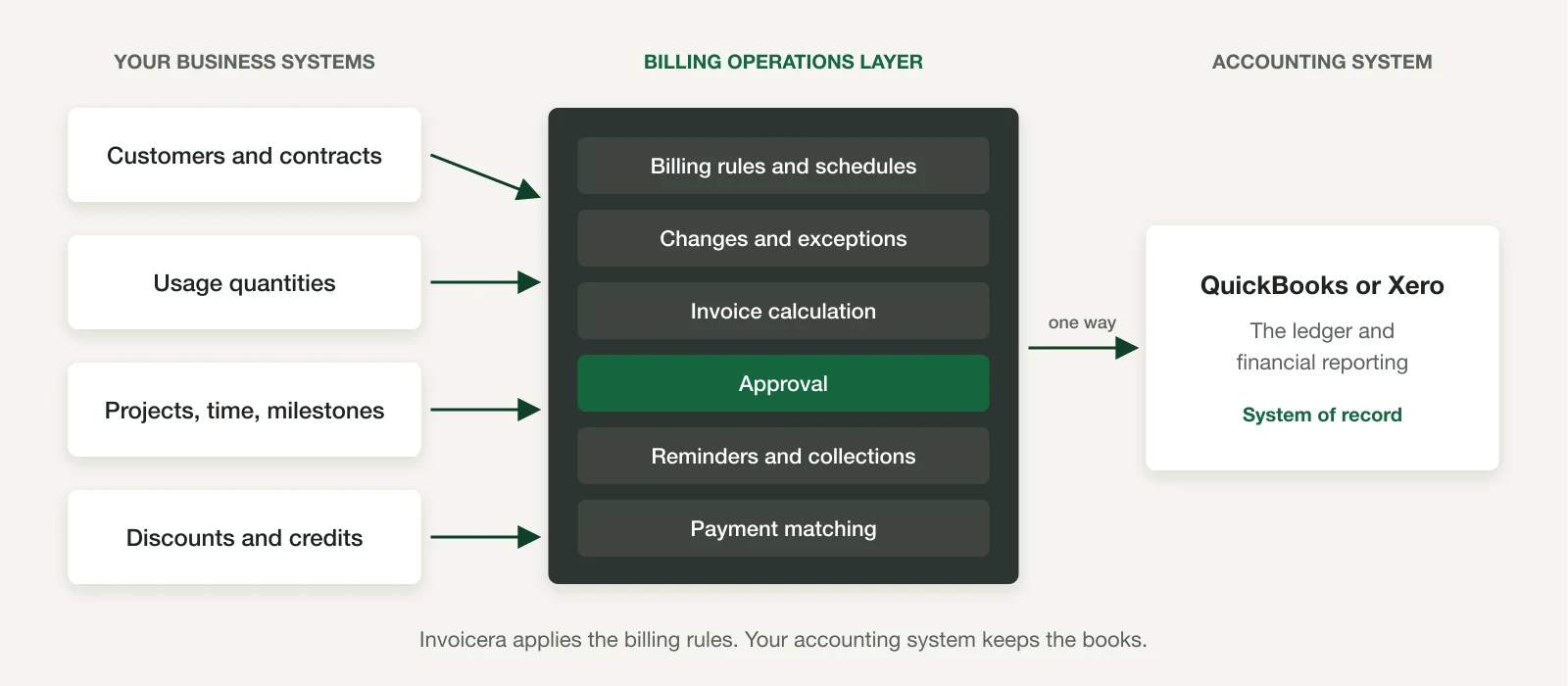
The flow usually runs in this order:
- Customer and contract data
- Usage, project, time or milestone inputs
- Billing rules and schedules
- Changes and exceptions
- Invoice calculation and approval
- Invoice delivery
- Payment reminders and collections
- Payment matching and the accounting record
How Invoicera simplifies complex billing
Invoicera is a billing operations platform. It brings billing inputs, rules, approvals, collections and payment matching into one controlled process, and it works alongside QuickBooks or Xero, which remain the system of record for the ledger. Approved invoices and payments sync one way to the ledger.
1. Set the billing rules once
Instead of rebuilding the same process every cycle, finance configures recurring schedules, contract terms, rates, start and end dates, and approval rules. Invoicera applies those rules to routine billing and keeps changed amounts, missing inputs and other exceptions visible for review.
2. Automate recurring and contract billing
Recurring billing runs on weekly, monthly, quarterly or annual schedules for retainers and contracts. Mid-cycle plan changes are prorated. If you are comparing complex subscription billing software, look for this balance: routine charges follow their schedule, and changes come back to finance for a decision.
3. Bring usage into the same billing run
Usage does not have to sit outside billing. In Invoicera, quantities are entered or imported as line items and priced from the relevant rate card, and fixed and usage-based charges can be combined in one billing run. Instead of working out quantity multiplied by rate for every customer, finance brings the quantity into the workflow, reviews the resulting charge and includes it on the invoice. Usage-based billing explains the setup.
4. Keep exceptions visible
Routine billing and the cases that need attention are kept apart. A changed amount, a missing input, an unusual charge or an approval requirement stays in front of the right owner instead of disappearing into a spreadsheet or an email thread.
5. Approve before sending
Single-step and multi-step invoice approval chains can route by role, entity or invoice value. Who approved and when stays on the invoice's record, so finance has a defined review step instead of approvals scattered across inboxes.
6. Carry on from invoice to payment
Approved invoices move into payment reminders and collections, then into payment matching. The receivable stays connected to the original billing record, so follow-up is not a separate job.
The result is one controlled process from billing input to approved invoice to payment, without turning a billing problem into a company-wide systems project.
Complex billing software vs simple invoicing software
There is a place for simple invoicing software. If you send straightforward invoices with fixed amounts and standard terms, simple billing software may be all you need. The trouble starts when the invoice is the output of a complicated process.
| Question | Simple invoicing software | Complex billing software |
|---|---|---|
| What it asks | What amount goes on this invoice? | What should this customer be charged under their contract, schedule, usage, changes and credits? |
| Pricing | Fixed prices and standard terms | Rate cards, negotiated rates, discounts for set periods, proration |
| Recurring charges | Repeat an invoice | Schedules per contract, with changes flagged for review |
| Usage | Typed in by hand | Quantities entered or imported and priced by rule |
| Approvals | Informal | Chains by role, entity or value, with a record |
| After sending | Manual follow-up | Reminders, collections and payment matching |
That is the difference between creating invoices and automating billing. The right choice depends on where your complexity actually sits.
What about legal and other specialist billing?
The principle holds across industries, even though the details differ. A law firm may need to combine time, matter-specific work, expenses and retainers. A project-based business bills from timesheets and milestones. A SaaS company combines subscriptions with usage. The common need is not a new core system. It is a way to turn the business's billing rules into a repeatable process.
When to consider billing automation
You do not have to wait until billing is unmanageable. Consider complex billing solutions when:
- your finance team spends a large share of each cycle preparing invoices;
- billing depends on several data sources;
- customers change plans or contracts often;
- usage changes invoice amounts;
- recurring and one-time charges sit on the same account;
- exceptions are becoming normal;
- approvals happen by email;
- payment follow-up is inconsistent;
- reconciliation takes days instead of hours;
- every new customer adds billing administration.
The clearest signal is simple: the customer base is growing, and the billing workload is growing at the same rate. The process is not scaling.
The goal is not a less complex business
Customers will still change their requirements. Contracts will still be negotiated, usage will still move and exceptions will still happen. You do not need to remove those realities. You need to stop making your finance team handle every one of them by hand.
Invoicera automates recurring, usage-based, project, milestone and contract billing, and manages approvals, collections and payment matching in one workflow. Automate the rules, handle the exceptions and keep the systems you already trust. Book a demo to see it with your own billing cases, or start with the 7-day free trial.
Frequently asked questions
Can you simplify complex billing without replacing your core systems?
Yes. Complex billing solutions automate usage, exceptions, recurring charges, approvals and collections as a billing layer, without the company-wide process change that a new core system brings.
What is the difference between a business management suite and a billing operations platform?
A business management suite connects functions across a company and consolidates its data. A billing operations platform focuses on billing: pricing rules, usage, exceptions, invoicing, collections and reconciliation.
Is billing software the same as an accounting system?
No. An accounting system keeps the ledger and financial reporting. Billing software manages how invoices are calculated, approved, sent and collected, and hands the result to the ledger.
When does a business outgrow simple invoicing software?
When billing involves usage, mid-cycle changes, exceptions, several pricing rules, recurring charges, approvals or reconciliation that is hard to manage by hand.
How do I simplify complex subscription billing?
Put recurring charges, usage, upgrades, downgrades, proration, exceptions, schedules, approvals and collections into one billing workflow, so routine charges run on rules and only changes need a person.
Can a small business use complex billing software without a consultant?
Often, yes, when the main challenge is billing rather than company-wide operations. The scope is narrower than a core-system project because it covers billing only.
What should billing solutions for complex pricing structures include?
Flexible pricing rules, usage-based billing, recurring billing, proration, contract changes, discounts, exceptions, approvals, automated invoicing, payment reminders, collections, payment matching and integration with your accounting system.
Can automated billing solutions reduce reconciliation errors?
They remove common causes of them. Consistent pricing rules, captured usage, automated invoice generation and payment matching cut down the manual data entry where most reconciliation errors start.
What is the difference between recurring billing and subscription billing?
Recurring billing automates scheduled charges. Subscription billing usually covers the wider subscription lifecycle: plans, upgrades, downgrades, usage, proration and customer changes.
Evidence
Sources and scope
- Invoicera billing automation
Supports the description of Invoicera's rule-based billing, exception handling, approvals and collections workflow.
- Invoicera recurring billing
Supports weekly, monthly, quarterly and annual schedules and proration for mid-cycle changes.
- Invoicera usage-based billing
Supports usage billing from quantities entered or imported as line items and priced from a rate card.
- Invoicera and QuickBooks
Supports the one-way sync of approved invoices and payments to the accounting system, which stays the ledger.
Continue in context