


Still using QuickBooks as a billing software for IT firms?
That’s fine, until your IT business starts growing fast.
- Suddenly, things feel messy.
- Invoices pile up.
- Approvals get delayed.
- And your cash flow slows down.
That’s when you know:
You need more than a basic billing tool.
You need something smarter, faster, and made for real growth.
Invoicera helps you switch in just 48 hours, with no stress, no mess.
If you’re a CEO and your company is facing billing delays, cash flow issues, or growing complexity, this switch is for you.
Let’s show you how to go from chaos to control, one smart move at a time!!
Using QuickBooks? What’s Holding You Back?
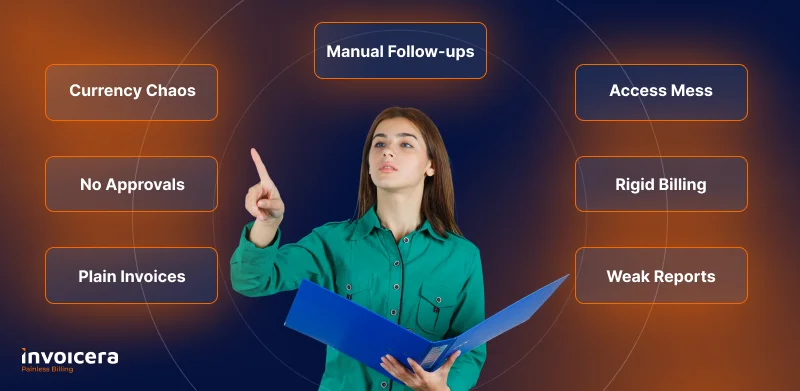
QuickBooks is good, until your business isn’t “small” anymore.
And that’s when it starts falling behind.
Your invoices all look the same.
- No personal touch. No smart rules. Just… plain invoice.
No easy way to get approvals.
- So your team keeps asking, “Is this final?” again and again.
Billing in dollars, euros, rupees?
- It gets confusing. Fast.
Still chasing payments?
- Because QuickBooks doesn’t remind clients for you.
Too many people, one level of access.
- Everyone sees everything. Not cool.
Need to charge by hour, milestone, or usage?
- Sorry. Can’t do that cleanly.
Reports that leave you guessing.
- You’re staring at numbers. Still don’t know what’s working.
Maybe it’s not you. Maybe your billing tool just isn’t built for what your business has become.
You’ve outgrown the basics. Now it’s time for billing that’s smarter, faster, and built to flex. That’s where Invoicera steps in.
Let’s see how it fills the gap.
How does Invoicera fill the Gap?
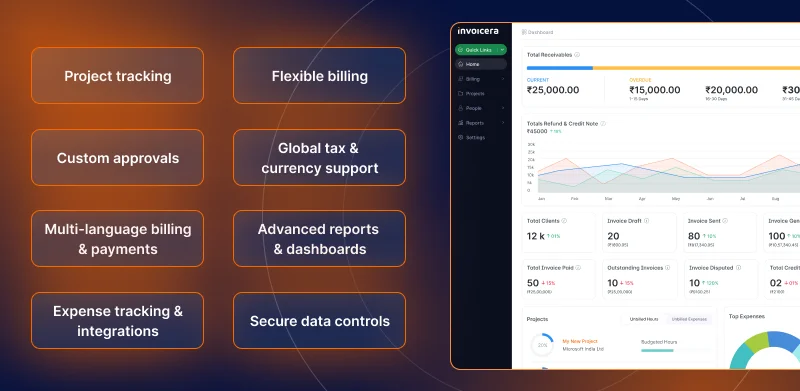
QuickBooks is good for the basics, but Invoicera customizes invoices when things get difficult to manage.
Let’s look at how:
Project Tracking
- See who’s working on what, live
- Track time for each task or client
- No missed hours, no guessing
Flexible Billing Models
- Bill by hour, milestone, or monthly plan
- Change how you charge, anytime
- Make your billing match your work
Custom Approval Workflows
- Set who needs to approve what
- No more chasing emails for “final okay.”
- Everyone knows what to do next
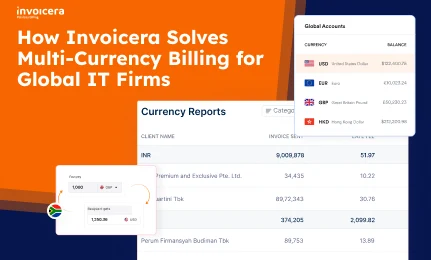
Global Currency & Tax Compliance
- Send invoices in any currency
- Auto-calculate taxes based on location
- Stay worry-free, even with global clients
Multi-Language Invoicing & Payment Gateway Support
- Send invoices in your client’s language.
- Get paid through 30+ payment options.
- Easy for them = faster payment for you
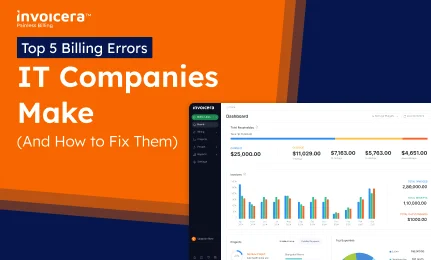
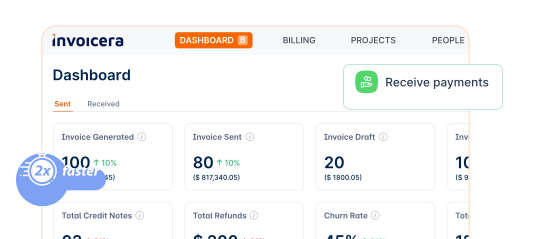
Advanced Reporting & Dashboards
- See what’s paid, pending, or delayed.
- Know which client pays late (every time).
- Smart charts, not scary spreadsheets.
Expense Management & Integration
- Add project expenses in one click.
- Sync with your favorite tools.
- Keep costs and profits in one view.
Robust Security & Data Control
- Set roles for each team member.
- Keep sensitive info private.
- You decide who sees what.
It’s everything you need to upgrade from QuickBooks for tech billing, and it does more with less effort. Let’s see how it compares side by side.
Comparing QuickBooks with Invoicera
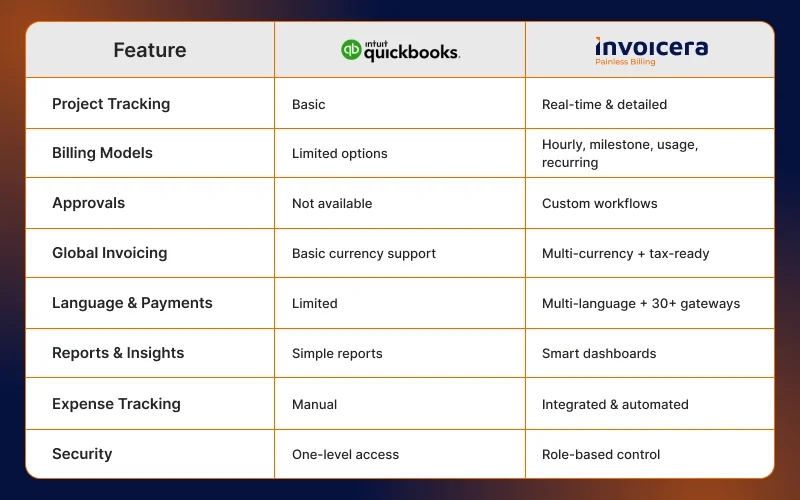
Still not sure what’s missing? Here’s a quick look at what you get and what you don’t.
As your business grows, the right tools make all the difference. And Invoicera gives you more, without the extra work, making it one of the best QuickBooks alternatives for IT.
Getting Started with Invoicera in 48 Hours
Switching from QuickBooks? It doesn’t have to be hard. With Invoicera, you can move everything in just 2 days; fast, simple, and stress-free.
Here’s how it works:
Day 1: Setup & Data Migration
- Export from QuickBooks: Download your client list, invoices, and payment records. It just takes a few clicks.
- Import to Invoicera: Use Invoicera’s import tool to upload all your data in one go, clean and easy.
- Check Everything: Make sure your numbers match, settings are correct, and your account is ready to go.
Day 2: Customization & Automation
- Make It Yours: Add your logo, brand colors, and custom invoice design. It’ll look just like you want.
- Set Up Workflows: Turn on auto-reminders, recurring billing, and approval steps. No more manual work.
- Connect Payments & Taxes: Link your payment gateway, set tax rules, and you’re ready to send your first invoice.
That’s it, and you are all set.
In 48 hours, you’ve got a billing system that saves time, looks sharp, and works smarter.
Welcome to Invoicera; billing made for businesses that want to grow.
Measuring the ROI (only if you feel it is required)
Is the switch worth it? Let’s keep it simple.
Time Saved
- No more manual entries or chasing approvals.
- That’s hours back in your team’s week.
Faster Payments
- With auto-reminders and easy payment links,
- Clients pay quicker; Cash flows faster.
Fewer Mistakes
- Smart workflows mean fewer errors.
- Less fixing, more doing.
Clear Reports
- Know what’s working (and what’s not) in just a glance.
- Goodbye, confusing spreadsheets.
When your billing works smarter, everything else moves faster.
Conclusion: Make the Move to Smarter Billing
You’ve built a growing IT company. But your billing system?
Still stuck in “small business mode.”
- It’s slowing you down.
- Your team is doing too much manual work.
- Your payments are getting delayed.
- Your reports aren’t showing the full picture.
It’s not your fault; you’ve just outgrown QuickBooks, which is exactly why so many IT firms choose to replace QuickBooks with Invoicera.
And the best part? You can switch in just 48 hours.
Here’s what you get with Invoicera:
- Smarter workflows
- Faster approvals
- Automated reminders
- Flexible billing options
- Multi-currency & tax-ready automated invoicing
- Role-based team access
- Clear reports and dashboards
No delays. No chaos. Just clear, fast, and professional billing. Make the switch and see the difference it makes.
FAQs
Ques: Is it hard to move from QuickBooks to Invoicera?
Ans: Not at all! You can switch in just 2 days. Export your data from QuickBooks and import it into Invoicera. It’s easy, clean, and quick.
Ques: Will I lose my old invoices and client data?
Ans: No. You can bring all your client details, invoices, and payment records to Invoicera. Nothing gets lost.
Ques: Can Invoicera work for different countries and currencies?
Ans: Yes! You can send invoices in any currency, add taxes based on location, and even change the language. Great for global clients.
Ques: Can my team use Invoicera too?
Ans: Yes! You can give different access to different people. Your team sees only what they need to. It’s safe and smart.
Ques: How does Invoicera help me get paid faster?
Ans: It sends auto-reminders, adds easy payment links, and supports 30+ payment options. That means quicker payments with less chasing.